
How to move field measurements into estimates without entering them twice.
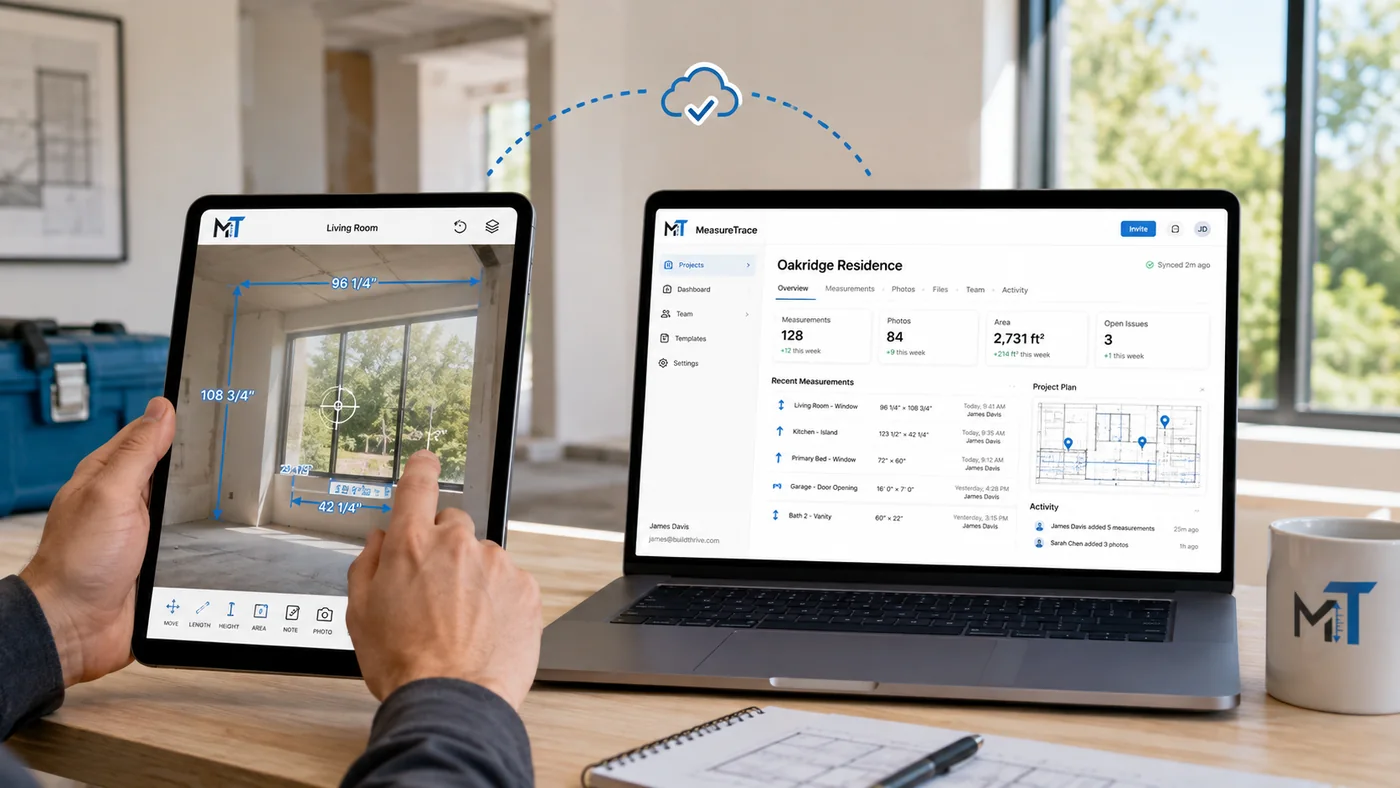
A connected workflow separates raw field capture, office review, approval, and downstream use.
Why duplicate entry creates problems
A common workflow starts with paper notes or a separate measuring app. Someone later opens the photos, interprets the values, and types them into a spreadsheet, calculator, estimate, quote, or order. Every transfer consumes time and creates an opportunity for a transposed number, missing field, or misunderstood label.
Capture a structured field record
Organize the customer, project, location, room, opening, photo, measurement, and note together. The field user should record objective site conditions, while commercial choices and final approved dimensions can be completed during office review.
Review and approve in the office
Office users compare the measurement with the photo, verify the label, select the appropriate source for the intended product or scope, and record any adjustment. Approval creates a controlled handoff rather than silently changing the raw field value.
Send the approved value to the next system
Use CSV, JSON, reports, or direct connectors to move the approved value into a calculator, estimate, quote, order, or business platform. The receiving system can use the measurement as an input rather than asking someone to type it again.
Keep the source traceable
The downstream record should retain a reference to the MeasureTrace project, measured area, photo, and approval history. This makes it easier to answer questions later and reduces the need to reconstruct how the number was obtained.
Keep the measurement, photo, and business workflow connected.
MeasureTrace is being built to capture field information once and make approved data reusable by the office.
Start free