
Editable values
Correct a fraction, move an endpoint, or update a label without recreating the whole image.
Keep the source photo and the measured values connected instead of placing dimensions on a flat image that cannot be reused.
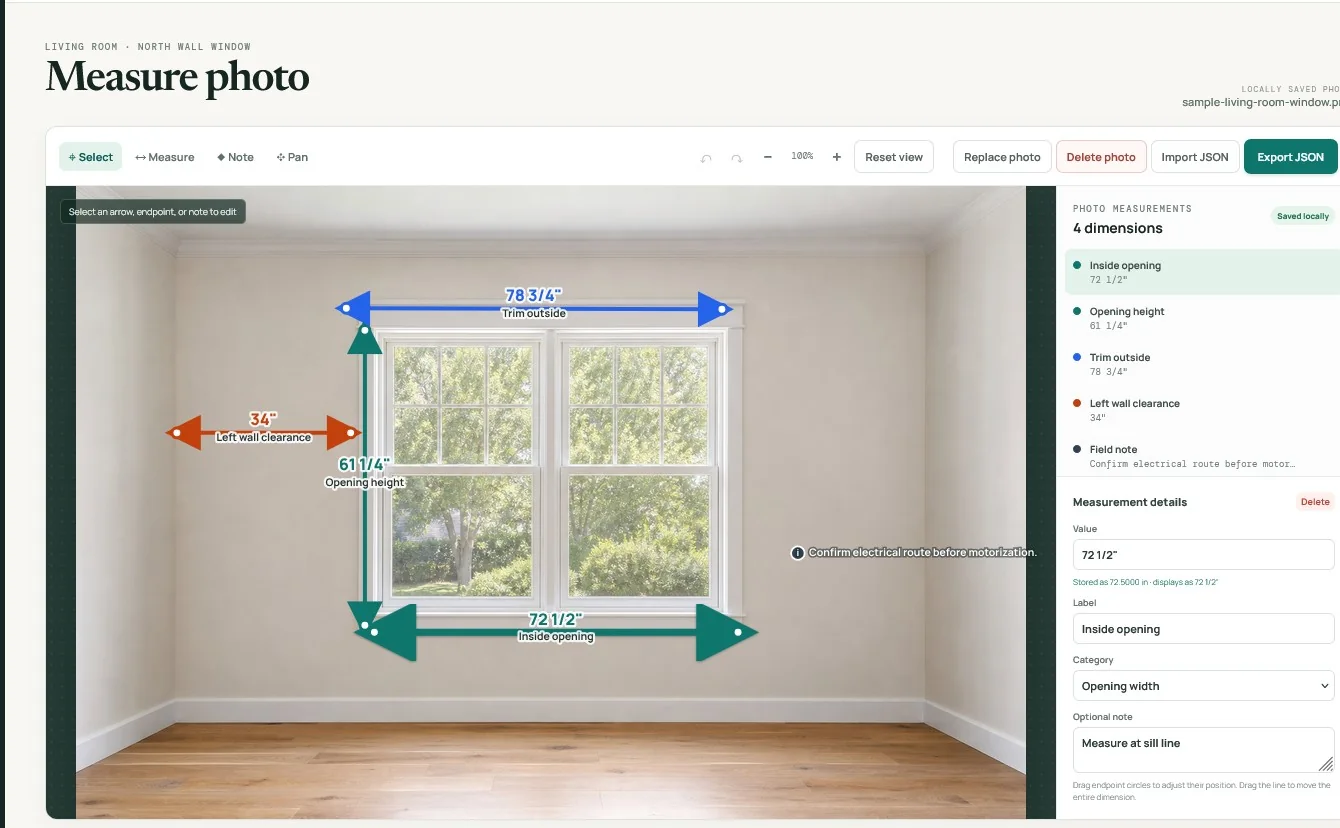
MeasureTrace stores each arrow, value, label, category, note, and coordinate as editable structured data over the original photo. That makes the picture useful in the field and later in the office.
The professional measures the real condition and enters the value. The photo preserves where and how the measurement applies, avoiding risks from camera angle, lens distortion, distance, or missing calibration.
Correct a fraction, move an endpoint, or update a label without recreating the whole image.
Another authorized user can review the same photo, compare measurements, and approve the correct values.
Approved values can be exported to CSV, JSON, reports, calculators, estimates, quotes, or connected software.