
Structured exports
Export approved project and measurement data as CSV or JSON. Use reports and ZIP packages for human review and project handoff.
Turn approved measurements into structured data that can be reused in spreadsheets, pricing calculators, estimating systems, quotes, orders, reports, and direct software connectors.
MeasureTrace separates portable exports from destination-specific integrations so the website does not imply that every external platform is already connected.
Export approved project and measurement data as CSV or JSON. Use reports and ZIP packages for human review and project handoff.
Destination-specific connectors can map customers, projects, selected measurements, photos, and approved values into quoting or project systems.
Companies with proprietary calculators or workflows can scope a connector around their formulas, fields, approvals, and audit needs.
A field employee records the measurement and its visual context. The office receives the same project after synchronization and can verify, correct, approve, or select the exact values needed for a calculation or document.
Dimensions, units, photos, annotations, rooms, openings, notes, and site conditions.
The office can access the same project and images without waiting for a manual handoff.
Choose the values to use, make corrections, add context, and preserve revision history.
Use CSV, JSON, PDF, or a system connector/API depending on the destination.
Square footage, takeoff, price, quote, estimate, order, work instruction, or report.
The useful part is not only the number. MeasureTrace can preserve where it came from and what it means.
Industry configuration determines the terminology and workflow, while neutral structured exports let other systems use the results.
Pass selected opening width, height, return, trim, and mounting measurements into a product or treatment calculator.
Use room dimensions and obstacles to calculate square footage, waste, transitions, material quantities, and labor.
Move rough openings, clearances, fixture dimensions, and site conditions into an estimate or scope of work.
Transfer lengths, areas, counts, photos, and notes into project records, reports, procurement, or operational workflows.
Export approved project data in portable formats such as CSV or JSON for import into a spreadsheet, calculator, or another application.
Business integrations can map MeasureTrace resources into quoting, ERP, accounting, project, or proprietary systems.
Send the correct selected measurements directly into formulas for area, material, labor, or product-specific pricing.
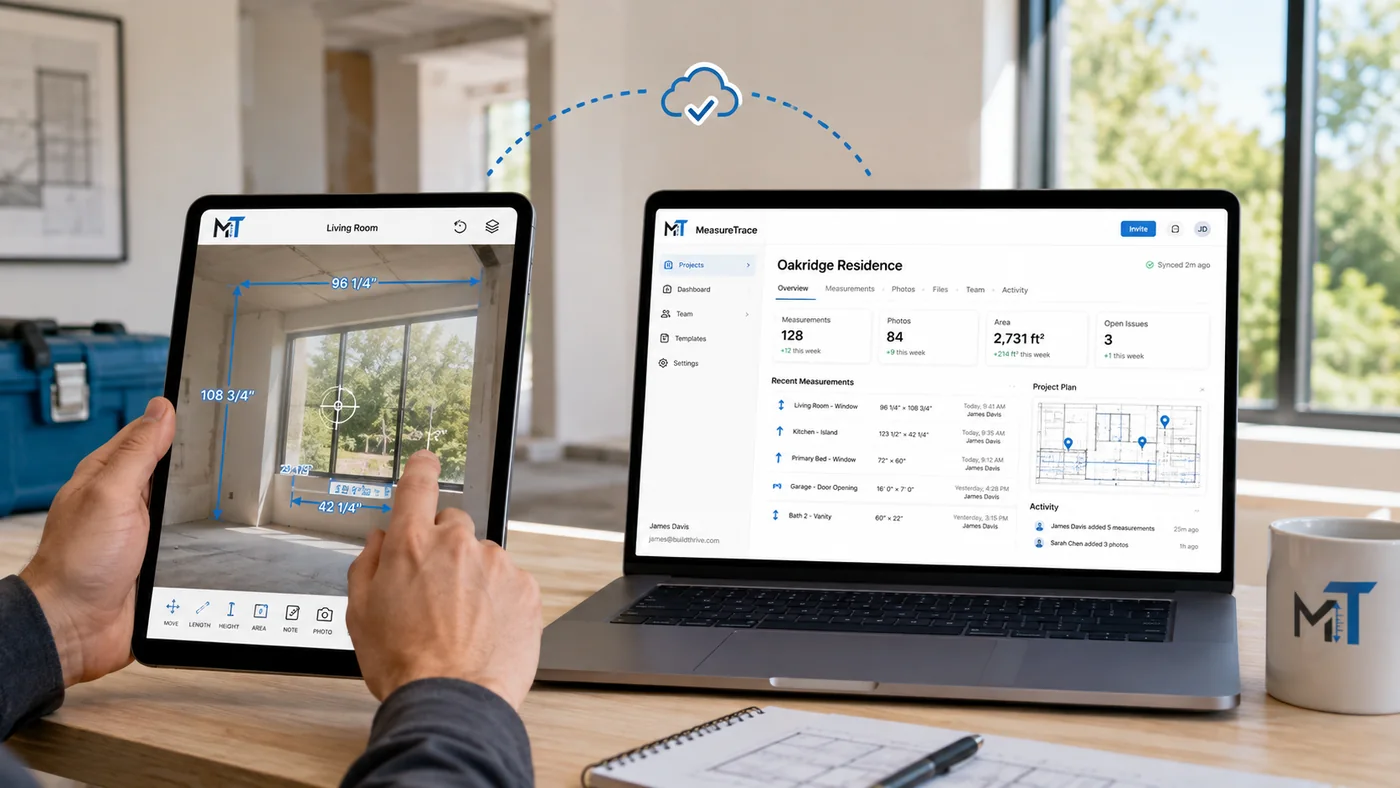
The measurer can capture dimensions and pictures on site. As soon as the project synchronizes, an authorized office user can review the same photos, pull the values needed for a calculator, update details, or prepare a quote. Later, an installer can access the current information without recreating the measurement packet.
Each selected measurement can carry its project, room, opening, label, unit, source photo, and approval state into the next workflow.
{
  "project": "Silva Residence",
  "room": "Living Room",
  "measurement": {
    "label": "Inside opening width",
    "value": 72.5,
    "unit": "in",
    "status": "approved"
  }
}MeasureTrace is being designed to connect with Ledgez window treatment business software. The planned connector would let approved field dimensions move into a configured window treatment calculator, reducing the need to type width and length again before pricing, yardage, descriptions, quotes, and orders are created.
Status: The direct Ledgez connector is planned. Structured exports and neutral integration payloads are the current foundation for connected workflows.
Approve field dimensions and project context.
Use dimensions with configured products and options.
Create pricing, yardage, wording, quote items, and orders.
Talk with us about the calculator, quoting, or business-system workflow your company needs.